How to Turn a Financial Google Sheets™ Template into an AI Playbook
Connect a financial template to the records it needs, write decision-based AI instructions, and test a complete user outcome before sharing the playbook.
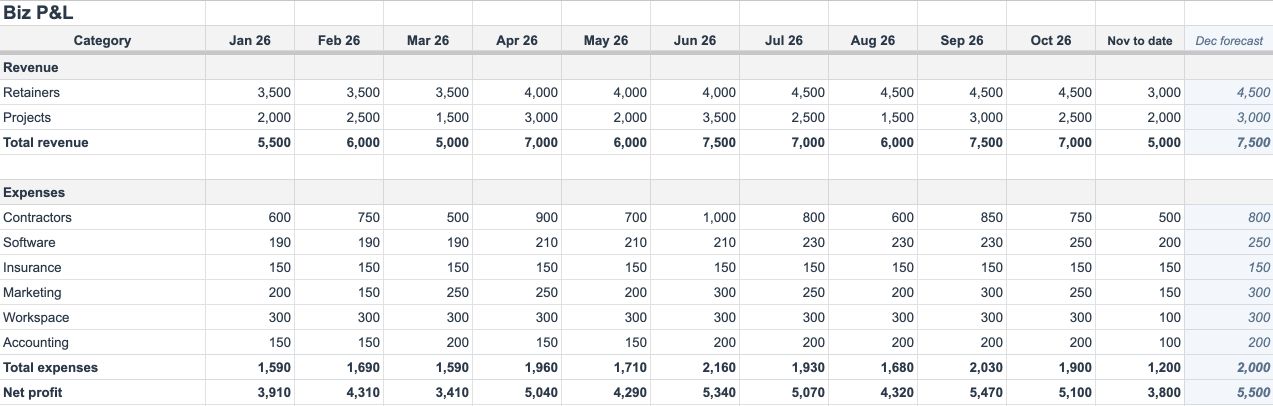
An AI playbook adds a repeatable decision process to a template: the records to read, questions to ask, alternatives to compare, and changes the user approves. Start with one outcome, then connect the inputs and instructions needed to reach it in Google Sheets™.
This guide is for creators with a useful financial method. Finance OS supplies linked account balances and transactions. Your template and instructions give those records a task, using the supported workspace and the user’s AI.
The drafting prompts below use your existing template and method. Where a prompt names Financial Assistant data, first make the relevant supported records available to your AI. Check actual integration behavior, ask for missing inputs, and approve changes before they are saved.
1. What should a user be able to decide or complete?
Choose an outcome, starting information, and a clear end state. “Review subscriptions and choose what to keep” is testable. “Understand finance better” leaves the questions and completion criteria undefined.
Describe the decisions behind your own method. Which fact changes the next question? What would make an apparently attractive recommendation wrong? Which choices need the user’s preference rather than another calculation?
AI prompt to turn your know-how into a decision sequence
“Use my financial template and the method I have described. Map the user outcome into decisions, starting records, missing questions, alternatives, and proposed Sheet results. Identify where an answer changes the next question and where the user must choose. Ask about gaps in my method instead of inventing expert rules. Propose a process I can review before writing the full instructions.”
2. Which inputs come from connected data, and which need the user?
Map balances to Accounts and transaction-level activity to Transactions. Preserve source dates, account coverage, and classification rules. Add inputs such as invoice terms, preferences, condition reports, or tax assumptions only where the task needs information those records cannot supply.
For a fictional software review, charges of $30 and $60 less a $10 refund produce $80 net expense. A $200 transfer between included accounts is excluded. The rows explain the total; whether either service is worth keeping requires usage and preference information.
| Source record | Treatment |
|---|---|
| Software charge: $30 | Include as expense |
| Software charge: $60 | Include as expense |
| Refund: $10 | Reduce expense |
| Internal transfer: $200 | Exclude from expense |
| Verified net software expense | $80 |
AI prompt to find the input your template cannot infer
“Use my financial template, its decision map, and the Accounts and Transactions structure supplied by Financial Assistant. Map each required field to a verified data source or a question for the user. Explain how dates, refunds, transfers, and missing records affect the result. Identify inputs that cannot be inferred from a bank transaction. Propose the mapping and validation checks for my approval.”
3. How do instructions help the AI ask the next useful question?
Give each prompt one main job, name the relevant workspace and earlier decision, and require a visible comparison. Ask for missing context that could change the answer, rather than repeating the full intake each time.
In the software review, the first question may be whether both services are used for different work. If they are, a downgrade comparison is more relevant than an automatic cancellation. Preserve the user’s current priorities and let a new explicit preference replace an older assumption.
AI prompt to find the question that prevents a bad recommendation
“Use my template’s approved decision map and input rules. Draft connected prompts that carry forward known facts and relevant user preferences. At each decision, identify the missing question most likely to change the answer, including when an apparent saving would remove something the user values. Require sources, assumptions, and a visible comparison. Propose specific Sheet changes for the user to review and approve.”
4. Can the process handle missing data and a tempting wrong answer?
Test the complete method with synthetic cases: complete records, missing dates or terms, and an attractive action that violates the user’s needs. Check both the calculated result and the next question. A written rubric is not evidence that the process has been run successfully.
For the software case, the net total should remain $80. If both services are useful, the process should ask about alternatives and features rather than label one waste. If a refund date is missing, it should identify the period uncertainty instead of silently choosing a month.
AI prompt to stress-test your playbook before someone relies on it
“Use my approved template, connected-data mapping, and prompt sequence. Create complete-data, missing-data, and attractive-but-wrong test cases for the promised outcome. Define expected calculations, the next useful question, and proposed Sheet changes for each. Flag unsupported product behavior or financial rules. Review actual outputs I provide against those expectations and propose corrections; do not mark an unrun case as passed.”
5. What needs to be clear before you share the playbook?
Explain the task, prerequisites, data connection, fields the user must supply, and what they can retain in their Sheet. Include actual-versus-proposed distinctions and approval points. Use synthetic or authorized data for public demonstrations.
Check that links, inputs, formulas, instructions, and access expectations work in the supported setup. Verify the current creator and distribution process before claiming that a user can publish, sell, or deliver a playbook in a particular way.
AI prompt to check whether your playbook delivers the promise
“Use my tested template and process. Compare the user-facing promise with the actual supported setup, required inputs, decisions, and saved output. Find any missing prerequisite, unclear approval, or unsupported automation claim. Identify which instructions must change after a field or data source changes. Propose a concise user introduction, completion check, and maintenance list for my approval.”
Common questions
Is a playbook just a prompt attached to a spreadsheet?
A useful playbook includes a repeatable process: connected records, adaptive questions, comparisons, user choices, and approved results in the matching template. A single prompt may start the process, but it does not describe every decision.
Can bank data supply all the information a playbook needs?
No. Transactions and balances provide financial records; preferences, future commitments, contract terms, and other task-specific facts may need user input or another verified source.
How do I know my instructions are good enough?
Run cases with complete records, missing information, and a plausible wrong recommendation. Check calculations, source use, follow-up questions, and proposed updates against the promised user outcome.
How the process works with your AI
The creator page explains the current way to discuss your template and method with Financial Assistant. This is a creator enquiry, rather than a request for a finished consumer playbook.
For the reader-facing result, review the Home Purchase guide, Financial Management guide, and Financial Planning guide. Each connects the knowledge to the decisions a user wants to make.