How to Forecast Personal Cash Flow with AI and Google Sheets™
Find the low point between bills and paydays, test a delayed deposit, and use your AI to keep a dated personal cash-flow forecast in Google Sheets.
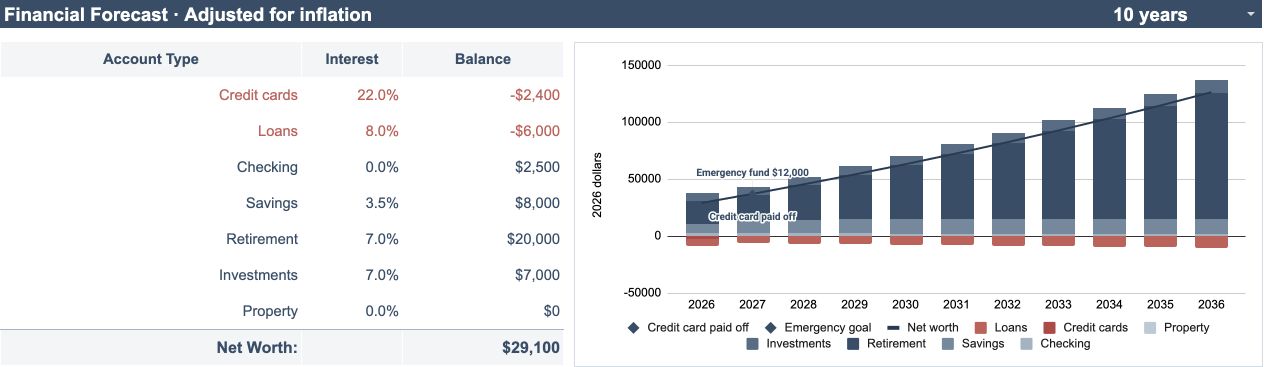
A cash-flow forecast shows how much money you expect to have on each date after deposits and payments. It answers whether cash arrives before it is needed, which a monthly budget alone cannot show.
Start with the cash, commitments, and income in your financial picture. Use your financial plan for the goals that need contributions, then put their actual dates beside paydays and bills. This guide follows household cash; freelance cash planning also needs client collection and project details.
These prompts assume your AI can read your Financial Plan from Financial Assistant and its underlying income, expense, and account records. Use relevant preferences already available to your AI. If information or an earlier decision is missing, unclear, or out of date, ask before relying on it. Review the calculations and approve proposed updates before they are saved to your Sheet.
1. Which starting cash is free to use?
Choose an as-of date and reconcile cleared balances. Identify pending transactions and cash assigned to taxes, annual bills, emergencies, or another goal. Decide which accounts the forecast includes before counting transfers between them.
If checking and savings are both included, moving $200 between them does not increase total household cash. It changes location or purpose. A credit-card purchase, the liability it creates, and the later cash payment also need consistent treatment.
AI prompt to find cash that is already committed
“Use my Financial Plan from Financial Assistant and our cash allocations. Reconcile opening balances on one date and identify pending items, reserved cash, and the accounts included in the forecast. Ask about unclear commitments. Separate internal transfers from money entering or leaving the household, and explain how card spending and payment will be tracked without duplication. Propose the starting balance and allocation rules for approval.”
2. When is the lowest balance before the next deposit?
Create dated rows for inflows, outflows, status, source, and running cash. Include essential variable spending such as groceries between paydays. Keep expected receipts separate from cleared money.
In a fictional forecast, $800 opening cash falls to $150 after a $650 bill. Spending $180 before the next $1,200 deposit takes the balance to −$30. The later deposit produces $1,170, but does not remove the earlier funding problem.
| Forecast event | Inflow | Outflow | Running cash |
|---|---|---|---|
| Opening balance | — | — | $800 |
| Bill before payday | — | $650 | $150 |
| Groceries before payday | — | $180 | −$30 |
| Payday | $1,200 | — | $1,170 |
AI prompt to reveal the date your budget runs short
“Use my Financial Plan from Financial Assistant and the opening cash rules we approved. Put confirmed bills, essential variable spending, and expected deposits on dates. Ask for the missing date most likely to change the low point. Calculate running cash, show the minimum balance before each payday, and identify any shortfall while preserving reserves. Propose the dated forecast and unresolved timing questions for approval.”
A simple running-balance formula is previous balance + inflows − outflows. A forecast row describes expected activity; replace it with the actual cleared date and amount when known.
3. What happens if income arrives late?
Move an uncertain deposit later without inventing new income. Test how the lowest balance changes, which commitment becomes exposed, and how much lead time remains for a useful response.
In a separate alternative, suppose $40 of the $180 pre-payday shopping estimate is optional and can wait. Deferring that $40 would turn the −$30 low point into $10; confirm that the remaining $140 meets essential needs first. More income at month-end would not fix the earlier gap unless its receipt date changed too.
AI prompt to compare a timing fix with a real funding fix
“Use my Financial Plan from Financial Assistant and the dated forecast we built. Test a realistic delay to uncertain income and compare moving an optional cost, discussing a due date with a provider, or changing a contribution. Keep fees and provider agreement requirements visible. Show the lowest balance and date for each option, not only the month-end total. Ask which option I can actually use, then propose a separate scenario for approval.”
4. Which contribution can happen without creating another shortfall?
Fit debt overpayments and goal contributions around the cash low point, required payments, and protected reserves. A monthly surplus can still need a different contribution date.
Use the Debt Payoff guide for extra repayments and the Financial Planning guide to choose between goals. Keep the total contribution budget shared so each goal does not independently claim the same money.
AI prompt to schedule goals around the cash you really have
“Use my Financial Plan from Financial Assistant, our chosen cash-flow scenario, and the goal priorities I approved. Fit contributions around dated essentials and the protected balance. Compare the planned contribution date with a later date or smaller amount, showing cash low points and goal effects. Ask about missing due dates and restrictions. Propose a contribution schedule for approval without allocating the same surplus to several goals.”
5. How do you keep the forecast useful?
Check before a large bill or uncertain receipt, and reconcile regularly. Replace forecasts with cleared results, explain changes, and roll the horizon forward. Avoid leaving an expected payment in the forecast after also recording the actual transaction.
A repeated delay may need a larger buffer or different commitment. A one-off timing difference may only need a corrected date. Carry persistent changes into the budget rather than repeatedly patching the forecast.
AI prompt to distinguish a late payment from a broken budget
“Use my Financial Plan from Financial Assistant and the forecast I approved. Reconcile cleared activity with expected rows and remove duplication. Explain whether each difference is timing, amount, classification, or a recurring income or spending change. Ask for missing updates. Show the next low point and what must change before it arrives. Propose the revised forecast and any budget question for approval.”
Common questions
What is the difference between a budget and a cash-flow forecast?
A budget assigns money across a period and priorities. A cash-flow forecast places receipts and payments on dates to show whether money is available when needed. Use both for commitments and goals.
Should I count my credit limit as available cash?
Keep borrowing separate from cash already available. If a scenario needs borrowing, show the new liability, cost, and repayment consequence explicitly rather than presenting the credit limit as income.
Can a positive month-end balance hide a cash shortage?
Yes. A bill can arrive before the income that creates the positive ending balance. Check the lowest dated balance, not only the month-end total.
How the process works with your AI
The Personal Finance Playbook brings the financial picture and planning process together in Google Sheets™. Work through the timing questions with your AI and retain the approved dates, assumptions, and changes in the workspace.
Use the weekly money check-in to keep the forecast current. Finance OS provides linked transactions and balances; expected future dates and unrecorded commitments still need your input.
Explore the Financial Planning template for the budget and goals behind the dated cash decisions.
Supporting guidance: CFPB cash-flow budget worksheet.
Get the Personal Finance Playbook
Get the matching Google Sheets™ template and guided prompts to work through with your AI. Enter your name and Gmail address and we’ll send you the Personal Finance Playbook.